Free
To get started, and keep going.
€0forever
- 1 GB of space, files up to 50 MB
- The full Lab, lyrics and sheet music
- 4 stems per song, one take
- Links and artist page with the signature
Demos, rehearsals and versions in one place. Practise them, play them with your band, send them with a link.
Start freeJust an email. No card.

The voice memo is on your phone. The mix is in the drummer's email. The chords are in a note, the good take who knows where. And when someone says "send me the song", the hunt begins.
Here every song has its place, and every version its date.
Write and record
Record the way you always do: on your phone, in the rehearsal room, in your DAW. Then drop the file here: My Music Loft detects tempo and key and draws the waveform. Every song keeps all its versions, from the first idea to the latest mix.


Practise in the Lab
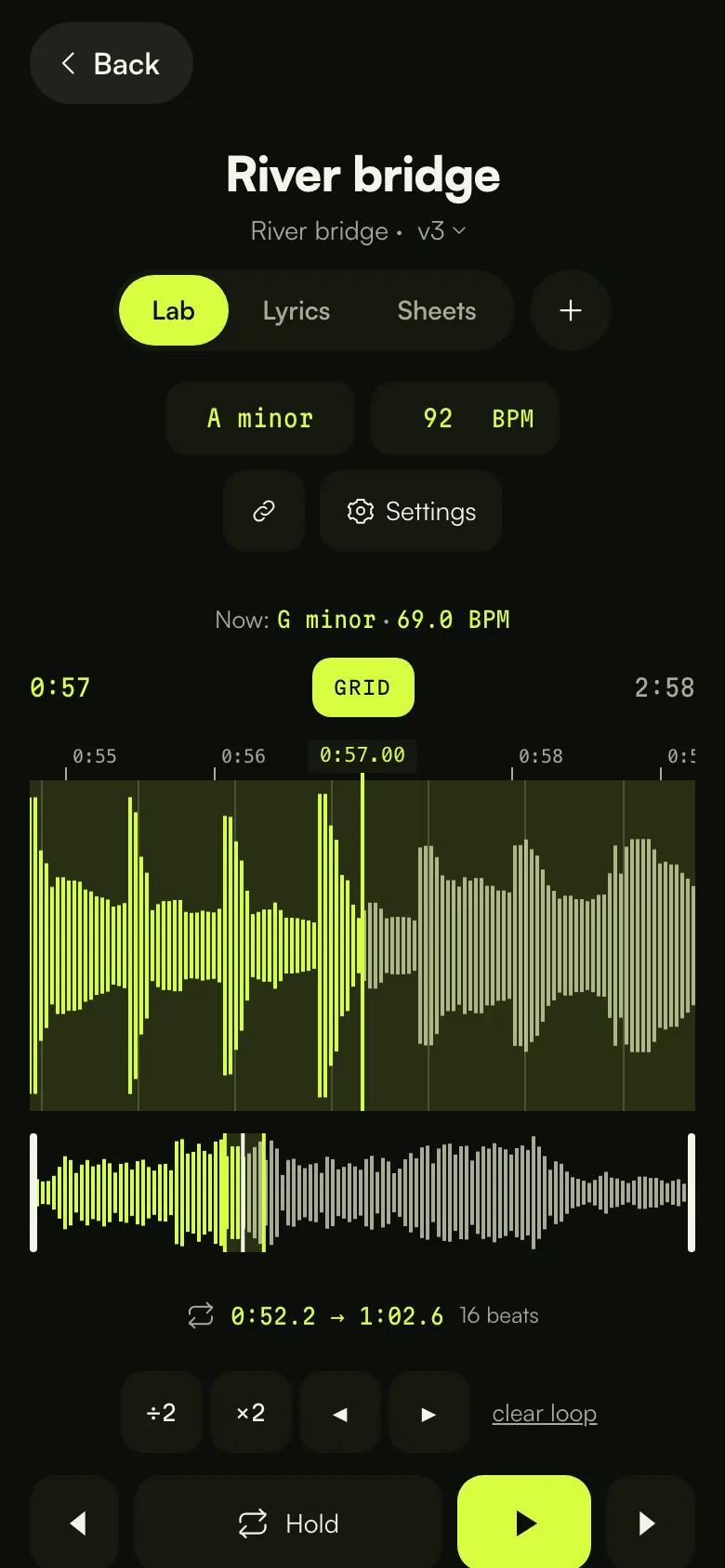
Open a song and it's ready to practise. Hold down while it plays and you've got a loop, snapped to the beat grid. Slow it down without changing the pitch, or drop it two semitones for your voice without changing the tempo.
Play with your band
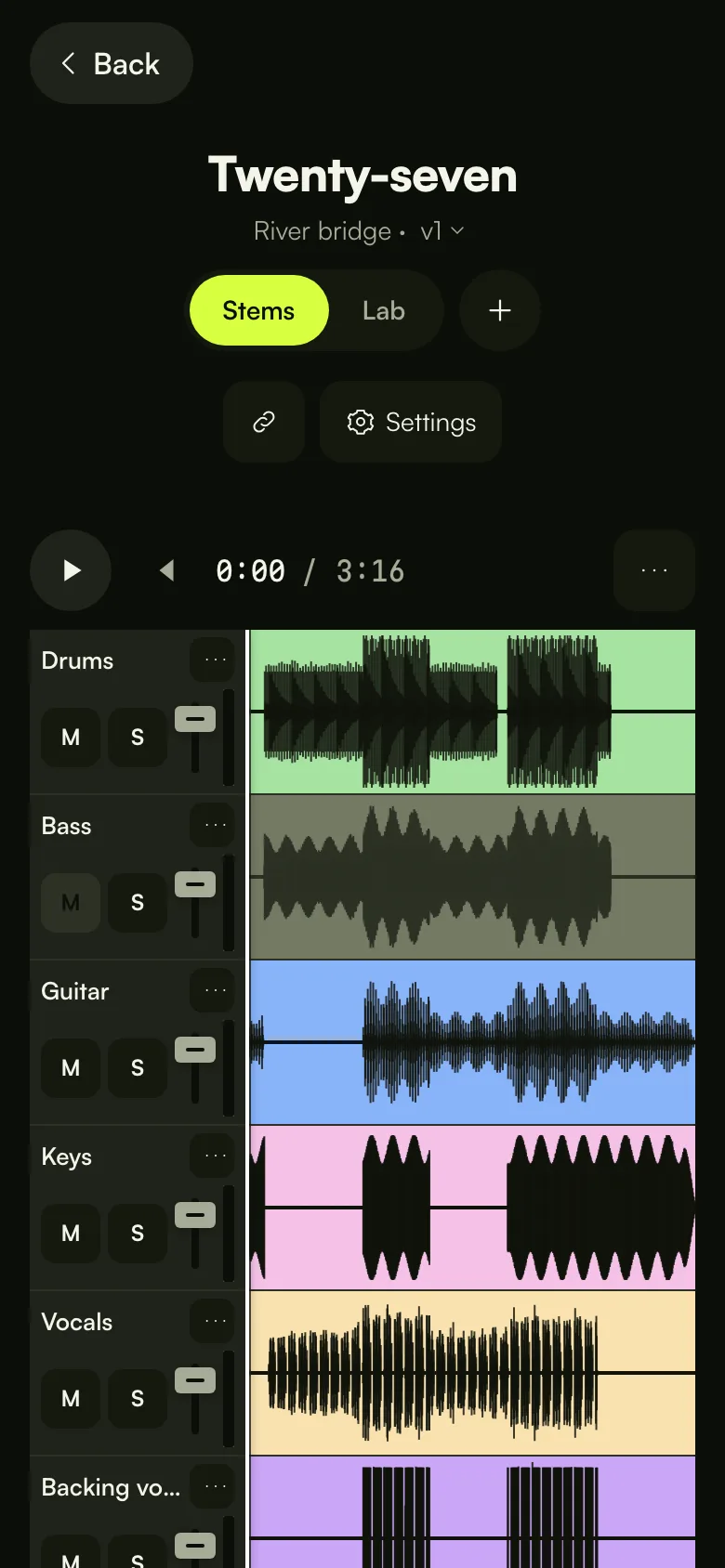
Export the stems from your DAW and upload them together: we make the mix. Whoever opens the song gets a mixer with mute, solo and volume for every stem. The bassist mutes the bass and plays along, without touching anyone else's mix.
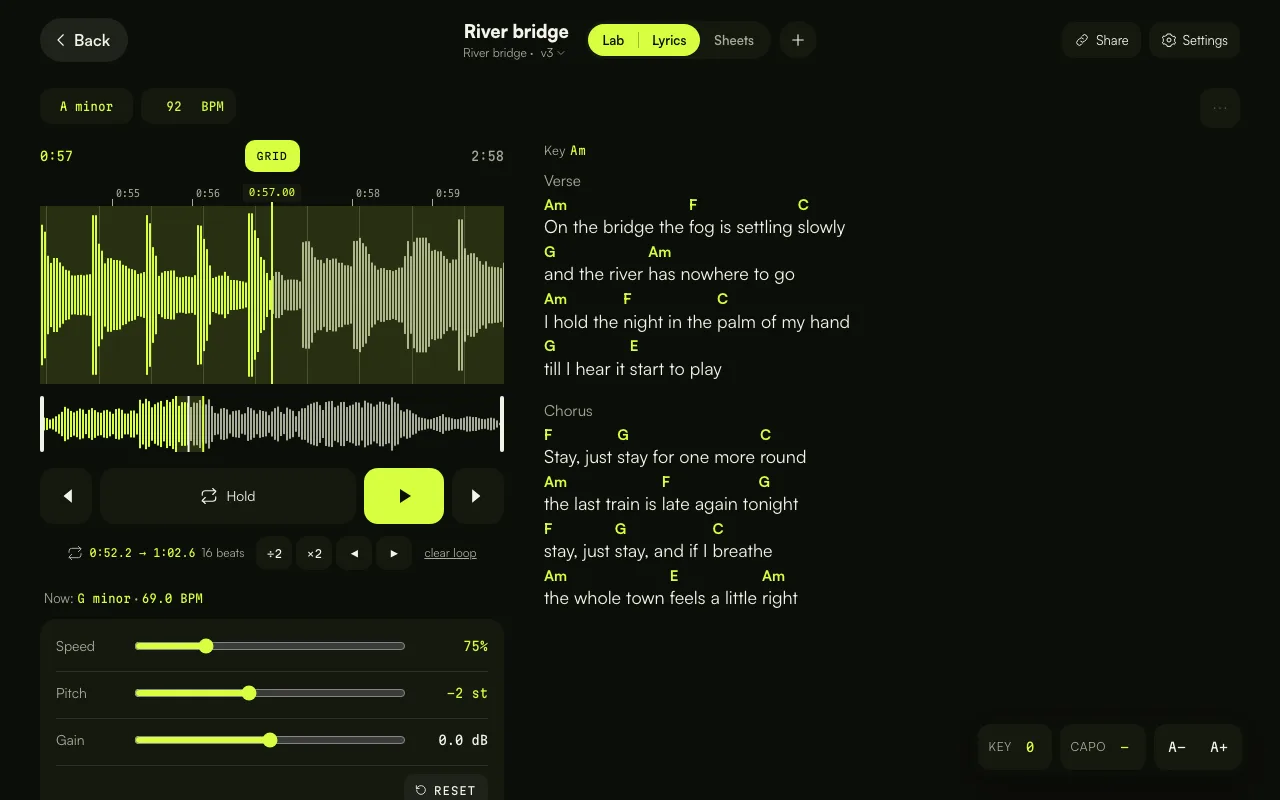
Every song has its lyrics with the chords above the words. Paste what you've got and it sorts itself out. Keep the sheet music next to it: a PDF, or a photo of the handwritten page.
Share and promote
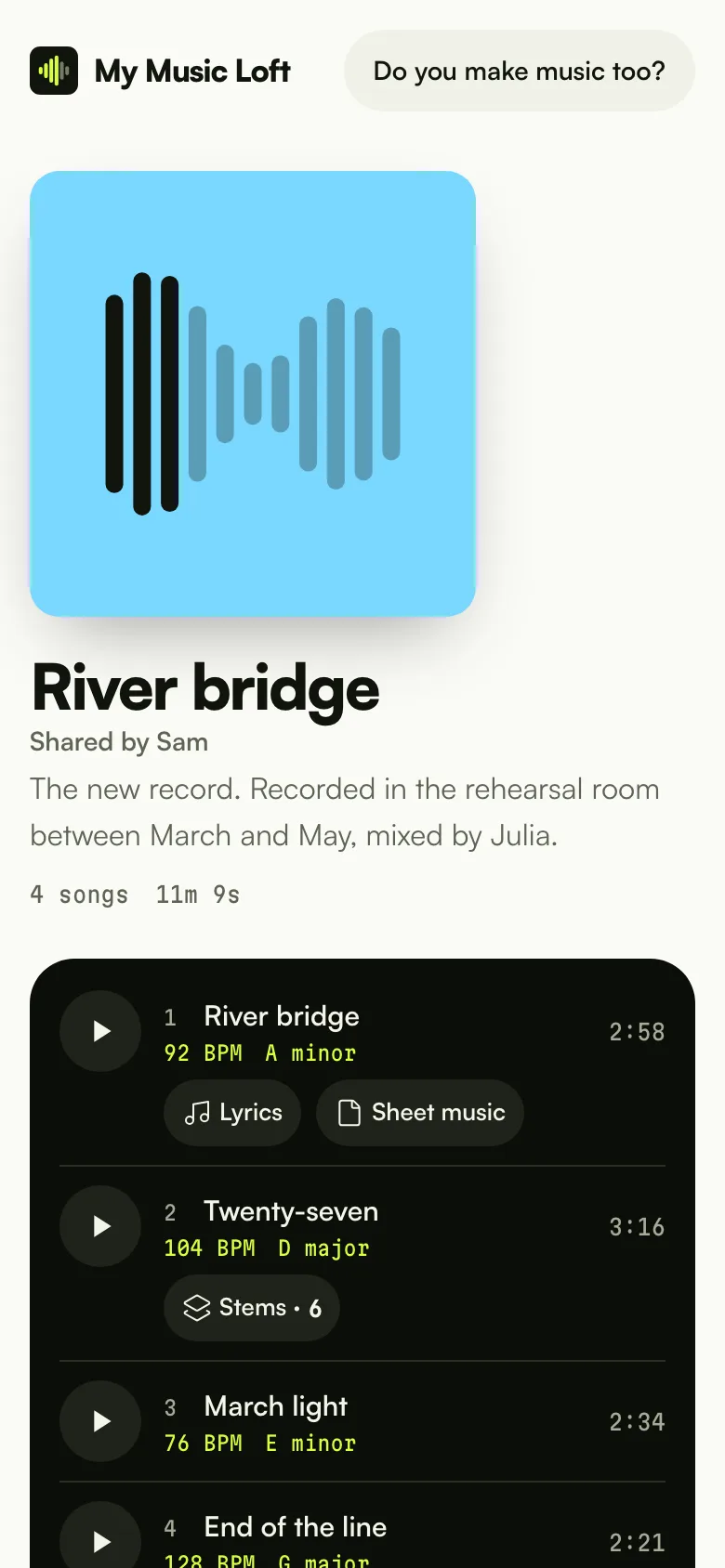
When a song feels right, make a link. Whoever opens it gets the player with the waveform, no account needed, and on WhatsApp it arrives with its own preview. See how many times it's been played, and revoke it when you don't need it any more.
Your own address, /@name, for Instagram, posters, your email signature. Inside: your songs, playable right there, your featured release, gigs, links and press kit. And for labels and bookers there's a private version, opened by a secret link.
Invite the people you play with to a project or a single song, by email or with a link. Listeners listen; contributors upload their stems, takes and versions. The space belongs to the project owner, so the people you invite can stay on Free.

Final prices in euros. Pay yearly and it costs less than eight months.
To get started, and keep going.
€0forever
For players who mean it.
€4.99per month
or €39 a year
For artists getting the word out.
€9.99per month
or €79 a year
The Full trial lasts 14 days, starts with one tap in Settings and doesn't ask for a card. When it ends you're back on your plan. People you invite can stay on Free: the space belongs to the project owner. Anyone can be invited.
Yes. Free doesn't expire: 1 GB of space, files up to 50 MB, the full Lab, lyrics, sheet music, links and an artist page. You only pay if you need more space or a Pro or Full feature.
Every account can try Full for 14 days, once: start it with one tap in Settings. We don't ask for a card, so nothing gets charged when it ends and you're back on your plan.
Your plan stays active until the end of the period you paid for. Then you're back on Free and nothing is deleted: songs, versions, stems and links stay. If you're using more than Free's space, you can't upload more until you free some up or pick a plan again.
Your songs are private: only people you invite, or who have a link you made, can hear them. Files are stored in the European Union, in Amsterdam, and the server is in Germany. For emails and payments we use third-party providers, listed in the privacy policy. From Settings you can download all your data or delete your account.
Audio in mp3, wav, m4a, aac, flac and ogg, up to 50 MB per file on Free, 200 MB on Pro and 500 MB on Full. For sheet music, PDFs and images. Export stems from your DAW: the app shows you how in Logic, Ableton and Reaper.
My Music Loft runs in the browser, on phones and computers. On iPhone, open it in Safari and tap "Add to Home Screen": it becomes an icon like any other app. Same on Android with Chrome. You need a connection to listen.
No. People you invite can use a free account: what they upload to your project counts against your space. Inviting needs Pro or Full; anyone can be invited.
Not for now, to both. Record with whatever you already use and upload the file. Export stems from your DAW track by track: My Music Loft lines them up and makes the mix.
Yes. The Lab is made for learning a song: slow it down, loop the hard part, change the key, read the chords transposed. The teacher uploads, the student gets a link or an invite and practises on the same song.
Upload a demo, a rehearsal, a voice memo. The rest follows.
Start freeJust an email. No card.
My Music Loft compared, feature by feature and with sources, with the services musicians use.